7 Simple Habits That Protect You Online Every Day
Cybersecurity doesn’t have to be complicated or intimidating. You don’t need to understand hacking, coding, or advanced technology to protect yourself online. For most people, staying safe comes down to a few simple daily habits that can help protect your personal information, accounts, and devices from scams, data theft, and unauthorized access.
Why This Matters
Your phone, laptop, and online accounts hold more than just data … they hold your life. Cybercriminals often don’t “break in” using advanced tools. Instead, they rely on:
- Outdated software
- Weak or reused passwords
- Fake messages that look real
- Small moments of distraction
The good news is that most common cyber risks are preventable. A few small changes can dramatically reduce your chances of becoming a victim of scams, identity theft, or account takeovers.
1. Keep Your Devices Updated
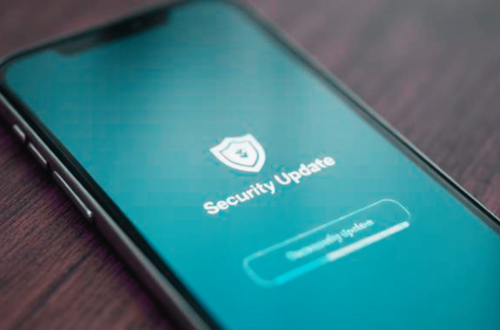
Software updates fix known security weaknesses that attackers already know how to exploit. If you delay updates, you’re leaving doors unlocked. Some examples of what to update include:
- Phone and tablet operating systems
- Computer operating systems
- Internet browsers
- Installed apps
TIP: Turn on automatic updates whenever possible.
2. Use Strong, Unique Passwords
Using the same password everywhere is one of the biggest risks for everyday users. If one account is compromised, attackers often try the same password on other sites. Opt instead for strong passwords that are:
- 12+ characters in length
- A mix of letters, numbers, and symbols
- Unique for each account
TIP: A password manager can help you keep track without memorizing everything.
3. Enable Multi-Factor Authentication (MFA)
Multi-Factor Authentication (MFA) adds an extra layer of protection by requiring a second step to log in, usually in the form of a code sent to your phone or an app. Even if someone steals your password, they usually can’t get in without that second step.
TIP: Start with important accounts like email, banking, and social media.
4. Be Careful with Links and Attachments
Many cyber incidents start with simply clicking a link or opening an attachment in a message. Scam messages often use social engineering to trick potential victims into taking action. This can include:
- Creating urgency in the message (“Act now!”)
- Pretending to be from trusted individuals or companies
- Using fear or rewards to pressure you into responding
If you weren’t expecting the message, don’t click links or open attachments.
TIP: If you recognize the alleged sender, ignore links/attachments in the message and go directly to the main website instead.
5. Lock Your Devices
Unprotected devices are easy targets, especially if lost or stolen. Basic steps that can protect your data even if the device isn’t in your hands include:
- Using a screen lock (PIN, fingerprint, or face ID)
- Setting devices to lock automatically
- Enabling device‑tracking features
6. Watch What You Share Online
Personal information doesn’t have to be secret to be dangerous. Details like birthdays, pet names, locations, and job info are often used to guess passwords or create convincing scams.
Think twice before sharing personal details on social media or public forums.
7. Trust Your Instincts
If something feels off, it probably is. Scammers rely on people being rushed, distracted, or afraid of making a mistake. Slow down. Take a moment. It’s okay to ignore, delete, or verify before responding.
What Users Should Do (Quick Checklist)
- Install updates promptly
- Use unique passwords for important accounts
- Turn on two‑step verification
- Be cautious with unexpected messages
- Lock and protect your devices
- Limit personal information shared online
You don’t have to do everything at once. Even improving one habit at a time makes you safer.
Cybersecurity isn’t about being perfect. You just need to be prepared and practice a bit of safety. A few small habits practiced consistently can protect you far better than expensive tools or complicated setups. Start where you are, improve over time, and remember … doing something is always better than doing nothing.